
Log into Webgains
Go to Ads > Create an ad
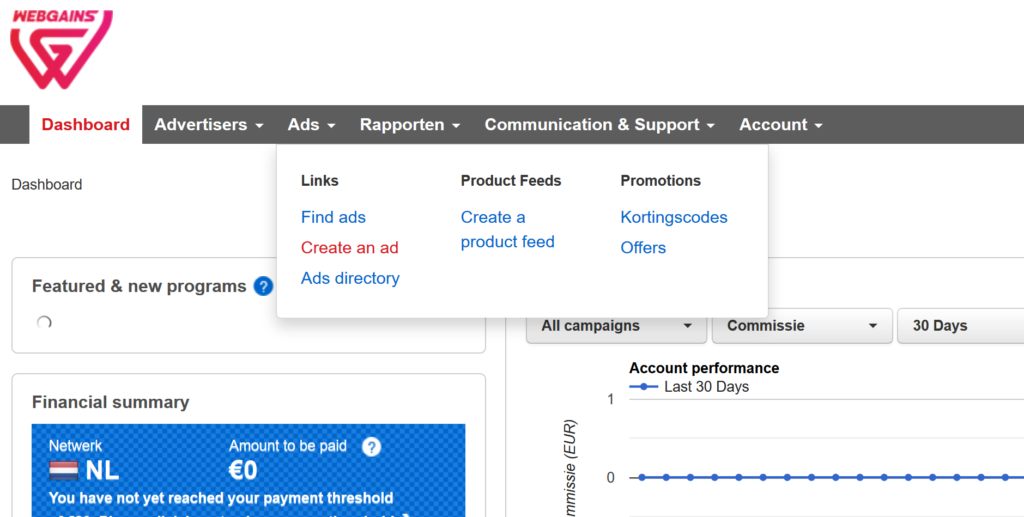
You will now see something like this:
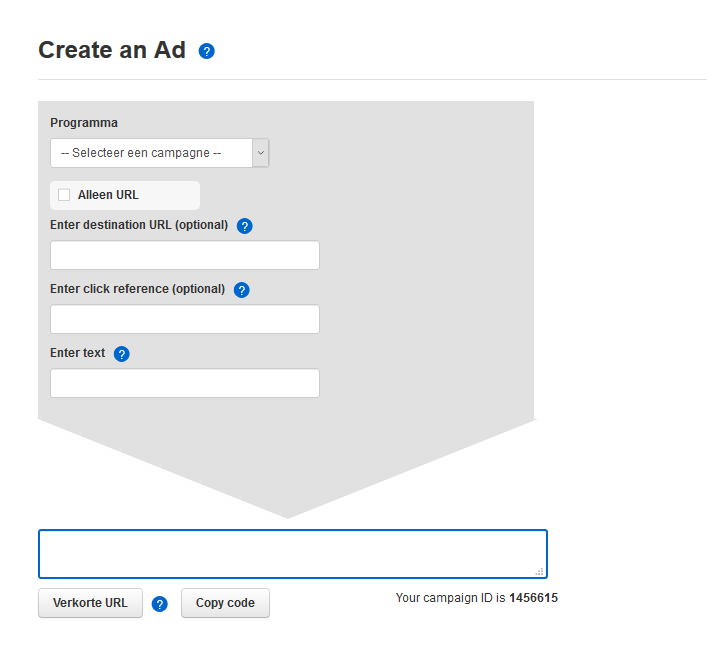
First, select the correct advertiser: for example ‘Large BE’.
Next, select ‘Alleen URL’
Then, insert the deeplink, for example ‘https://www.large.be/sale/’, under ‘Enter destination URL’.
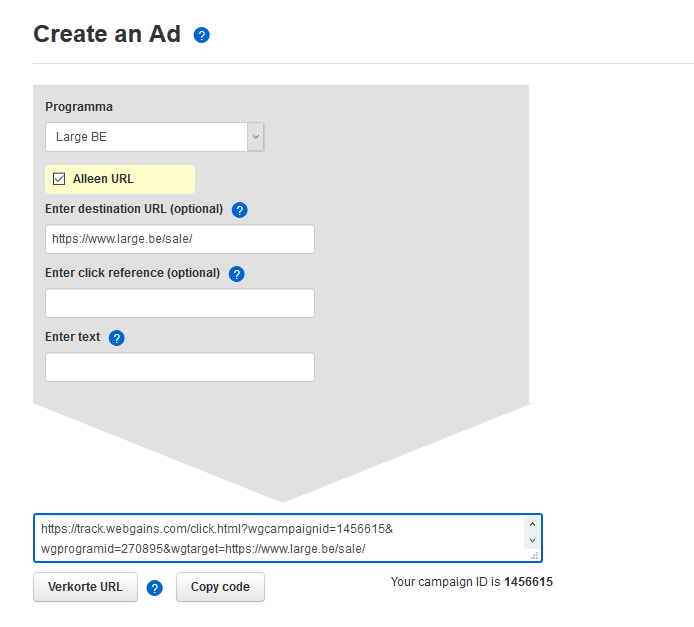
Below, it generates an affiliate deeplink. In our example: ‘https://track.webgains.com/click.html?wgcampaignid=1456615&wgprogramid=270895&wgtarget=https://www.large.be/sale/’
Leave A Comment?